
Relighting
Loading templates...Create with Relighting
Use Reelflow to explore the direction and atmosphere of light in your images, giving people, products, and still lifes different levels of light and shadow, and finding the right lighting to enhance your creative expression and showcase your images.
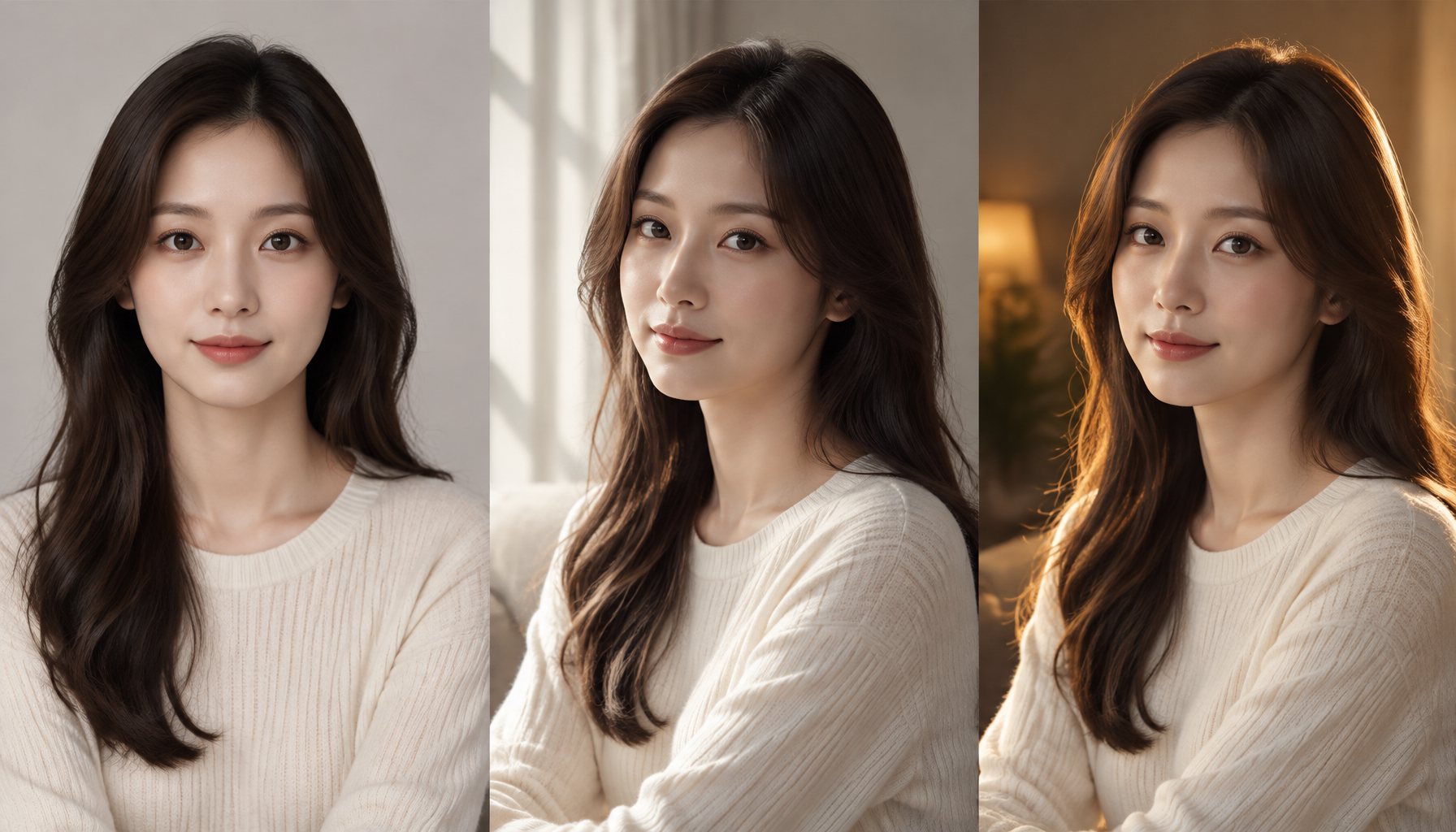
Simple source input
Retain useful identity, layout, or motion from the source while changing its visual treatment.
Useful creative controls
Choose the target style, transformation strength, and format to guide how far the result changes.
Output workflow
Create a restyled or reformatted asset that remains connected to the original subject.
Three steps from source to result
Step 1
Upload a clear JPEG, PNG, or WebP image that you have permission to use; avoid tiny, heavily compressed sources.
Step 2
Use Reelflow to explore the direction and atmosphere of light in your images, giving people, products, and still lifes different levels of light and shadow, and finding the right lighting to enhance your creative expression and showcase your images.
Step 3
Inspect the full-resolution result for edges, identity, text, and product accuracy, then download it or create another version.
Frequently asked questions
What should I upload or enter for Relighting?
Upload a clear JPEG, PNG, or WebP image that you have permission to use; avoid tiny, heavily compressed sources.
What happens after I start Relighting?
Use Reelflow to explore the direction and atmosphere of light in your images, giving people, products, and still lifes different levels of light and shadow, and finding the right lighting to enhance your creative expression and showcase your images. Choose the available settings, generate a result, and inspect it before downloading or publishing.
What should I check before using the result?
Strong style changes can alter faces, logos, fine patterns, or fast motion. Use short, stable footage and review continuity.
How is Relighting different from related tools?
Use Reelflow to explore the direction and atmosphere of light in your images, giving people, products, and still lifes different levels of light and shadow, and finding the right lighting to enhance your creative expression and showcase your images. This workflow retains the source subject or motion while changing a specific visual property.
How is generation billed?
Generation may consume credits based on the selected model and settings. Available credits and trial benefits depend on your current plan and account.
Start creating with Relighting
Use Reelflow to explore the direction and atmosphere of light in your images, giving people, products, and still lifes different levels of light and shadow, and finding the right lighting to enhance your creative expression and showcase your images.